Toggle
The toggle control in VAS allows the user to quickly change the value of a toggle control, and optionally add a comment.

There are a number of ways to display the value of the toggle control in a report.
Variations
Icon
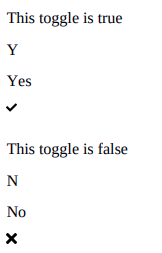
If we want to display the value of a toggle control as an icon e.g.
display tick if toggle is on
display cross if toggle is off
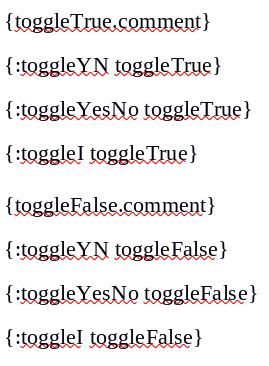
We can use the following syntax:
:toggleI
Y or N
If we want to display the value of a toggle control as either “Y” or “N” e.g.
display “Y” if the toggle is on
display “N” if the toggle if off
We can use the following syntax:
:toggleYN
Yes or No
If we want to display the value of a toggle control as either “Yes” or “No” e.g.
display “Yes” if the toggle is on
display “No” if the toggle if off
We can use the following syntax:
:toggleYesNo
Full Example